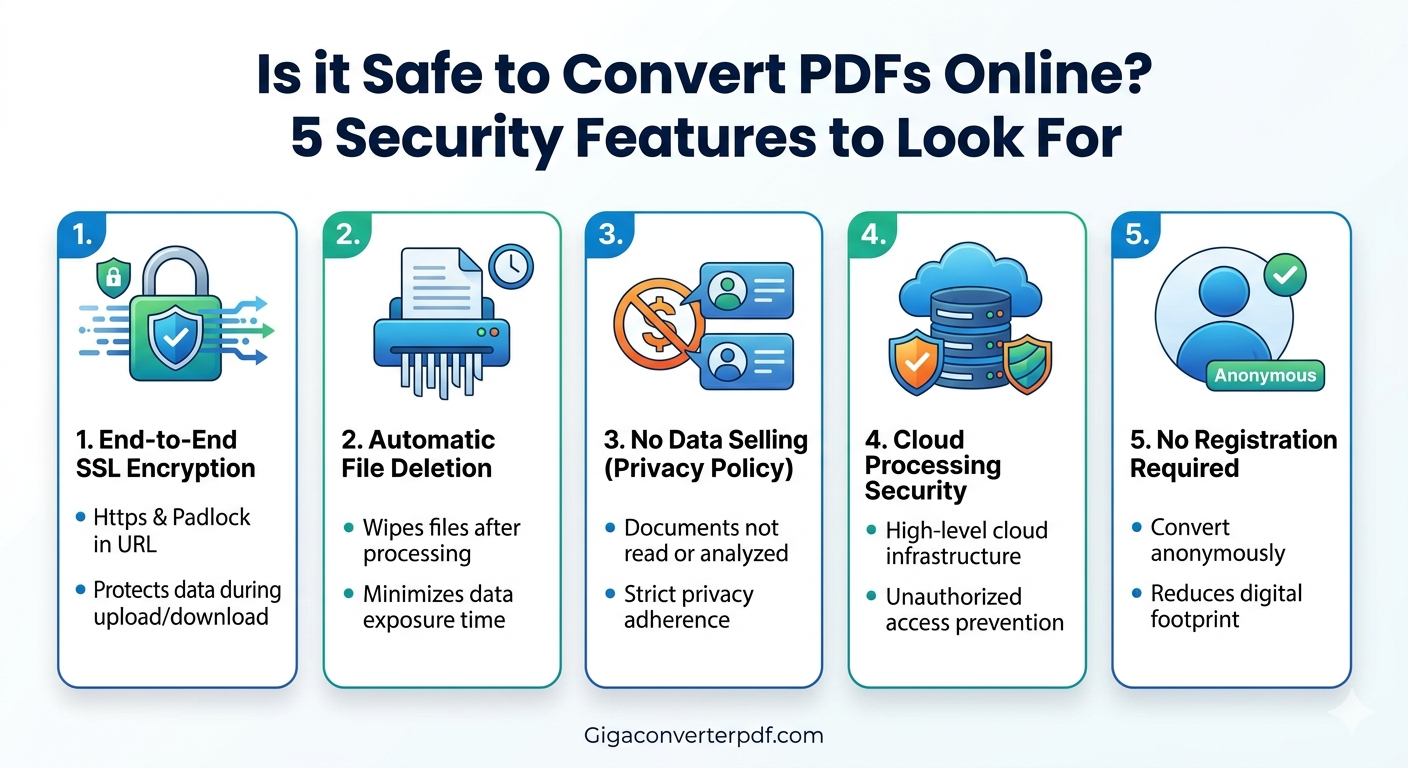
Is it Safe to Convert PDFs Online? 5 Security Features to Look For
Published by the Gigaconverterpdf Team
In today’s digital-first world, the need to transform documents is constant. Whether you are turning a Word doc into a PDF for a professional presentation or extracting images from a report, online converters are the fastest solution. But a nagging question remains: Is it safe to convert PDFs online?
The short answer is: Yes, provided you use the right tool. When you upload a document, you are sending data to a server. To protect your sensitive information, you need to ensure the platform follows strict security protocols.
5 Security Features Every Safe PDF Converter Must Have
1. End-to-End SSL Encryption
The first line of defense is Secure Sockets Layer (SSL) encryption. This technology creates a secure tunnel between your browser and the server. Look for the "HTTPS" and the padlock icon in the URL bar. This ensures that hackers cannot intercept your file during the upload or download process.
2. Automatic File Deletion
A reputable converter should not keep your files indefinitely. The best tools, like Gigaconverterpdf.com, use automated scripts to delete files from their servers within an hour of processing. This minimizes the "window of risk" for your data.
3. No Data Selling (Privacy Policy)
Always check the site’s privacy policy. A safe PDF converter will explicitly state that they do not read, analyze, or sell the content of your documents to third parties. Your data should remain your data.
4. Cloud Processing Security
Where is the conversion happening? Secure converters use world-class cloud infrastructure (like AWS or Google Cloud) which features high-level physical and digital security to prevent unauthorized access to the processing units.
5. No Registration Required
While not strictly a "technical" security feature, tools that allow you to convert files without creating an account add a layer of anonymity. By not providing an email address or password, you reduce your digital footprint on the site.
Why Choose Gigaconverterpdf for Your Documents?
At Gigaconverterpdf.com, we prioritize user privacy above all else. Our platform is built with the latest encryption standards to ensure that your sensitive business reports, school assignments, and personal documents are handled with care.
- Instant Deletion: Your files are wiped from our system automatically.
- No Watermarks: Professional results without compromising your document's integrity.
- Fast & Free: Security doesn't have to come at a price.
Comments (0)
Leave a Comment